For this lab, I took a picture that I already had and
converted its file type with Adobe Photoshop CS4. I then
recorded the file size and my impression of the quality
down below.
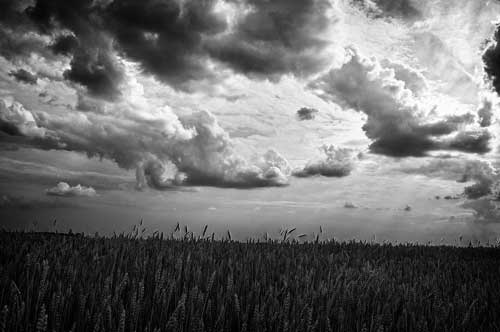
JPEG
File size: 744 KB
Picture quality: The quality is amazing. It looks
exactly like it did previously.It probably also
helped that it was originally saved.
as a JPEG
Tiff
File size: 6.12 MB
Picture quality: The picture quality is still amazing.
There doesn't appear to be any loss of detail, which
helps make the clouds and the wheat really pop out.
PNG-8
File size: 5.02MB
Picture quality: The picture quality still appears flawless
to me. I still can't tell a different between the file
formats look and the original's.
PNG-24
File size: 5.23 MB
Picture quality: The picture still looks the same to me.
The quality has yet to change, which is a good thing.
The JPEG algorithm works in a variety of ways inorder to make
a picture as small as possible, while still letting it represent
the image in the way it was meant to be seen. To do this, the JPEG algorithm
has to go through a variety of steps, some which lose data, and others
that do not. The first step in this process is to downsample the chrominance
channeles that make up the picture. Because downsampling the entire
image would be extremely noticable, the JPEG algorithm downsamples the
chrominance of both the red and the blues because our eyes have trouble
seening small differences in those colors. Human eyes are really good at
noticing the intensity and luminance or red and green colors, but
they are not good with blues. As long as the intensity and luminance
doesn't change, humans really aren't able to notice any change.
The second way in which the JPEG algorithm compresses the file is by
quantizating pixels. This method gives weights to groups of pixels
based on how important they are to a picture. It then keeps more data
about the higher weighted parts and throws away a large amount of data
on the parts it deems to be unimportant. This is the part of the algorithm
that causes the quality level of the image to change, as the use is often
able to deside how much data is kept about the blocks of pixals when they
change the quality setting of the converter. This part is what tends to
make the most noticable changes to a picture, especially since it is what
gets rid of the most data about the image.
The third part of the algorithm is entropy coding, which replaces long strings
of repeating code. It will simply tell the computer that from one spot in the
code to another, all the values are either 0's or 1's. This really helps shrink
the file size, and it does it without losing any of the data. Those three features
are the basics behind JPEG, hope you enjoy them.